
How to Find and Manage Best Discord Mods in 2026: Complete Guide
- thekollab
- 15 min read
- Who Are Discord Moderators?
- Discord Moderator vs Community Manager: What Is the Difference?
- How to Find Discord Moderators for Your Server
- What Are the Key Responsibilities of Discord Moderators?
- How to Make Someone a Moderator on Your Discord
- Common Challenges Discord Moderators Face
- Which Industries Need Discord Moderators the Most?
- Should You Hire an Agency or Build an In-House Mod Team?
- FAQ
Discord hit 690 million registered users in 2026, and about 1.1 billion messages fly across the platform every single day. That’s a staggering amount of conversation happening across 32.6 million active servers, and a huge chunk of those servers are running without any real moderation plan.
We’ve worked with Web3 projects and crypto communities long enough to know what happens when a Discord server doesn’t have the right mods. Spam floods the general chat. Scam links multiply. Good members leave quietly. And by the time the founding team notices, the community’s culture is already damaged.ย
This guide breaks down what a Discord mod actually is, how to find great ones, what their day-to-day work looks like, and how to set them up properly in your server.
Who Are Discord Moderators?

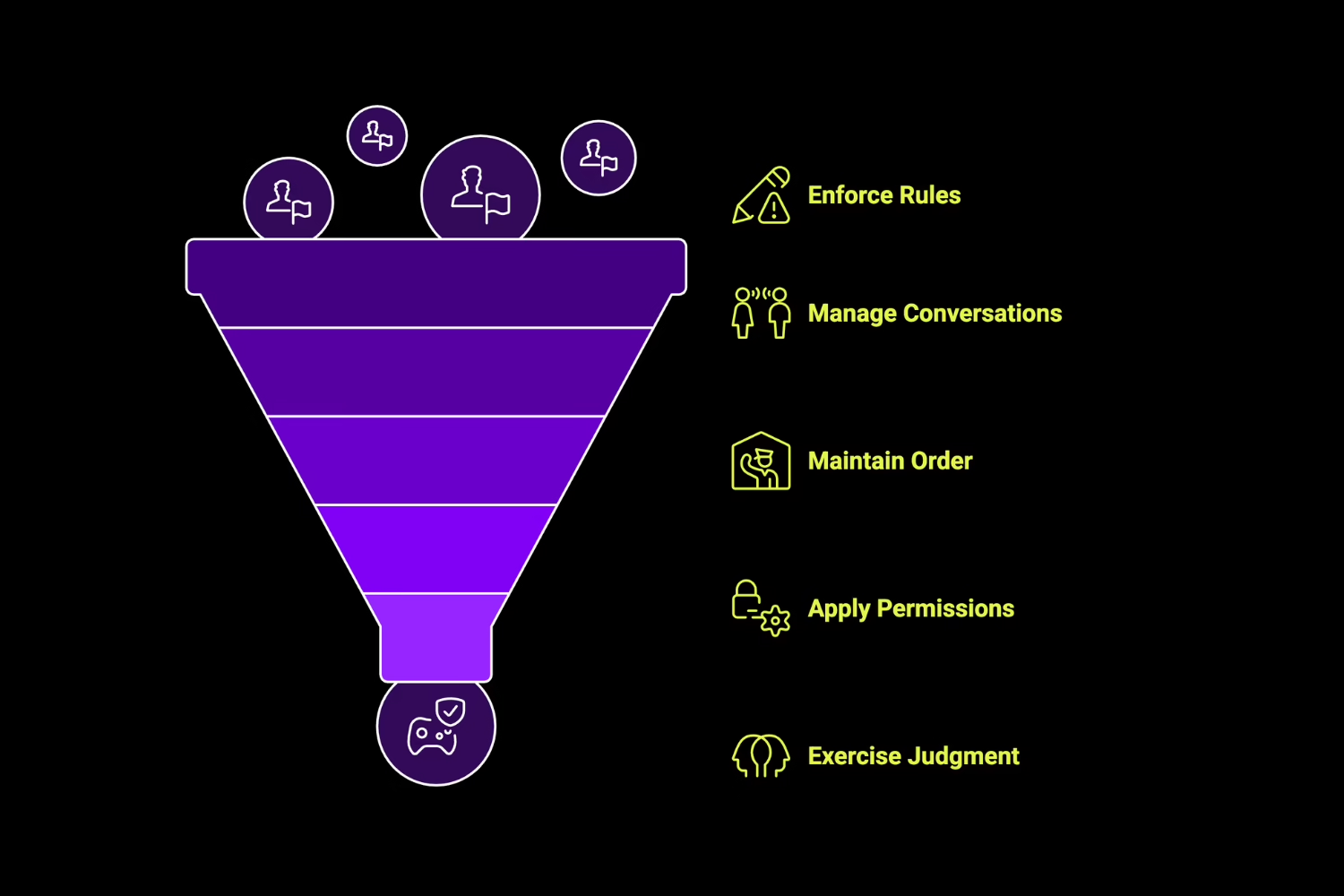
A discord moderator is a trusted person appointed by the server owner or admin team to enforce rules, manage conversations, and keep things running smoothly for everyone in the community. Discord mods are distinguishable from regular members by their unique role color and badge, and they carry permissions that regular users don’t have, things like Manage Messages, Kick Members, Ban Members, Timeout Members, View Audit Log, and Manage Threads.
But here’s the thing most people miss about mods on Discord: the permissions are only half the job. The other half is human judgment. A good Discord moderator needs diplomacy, quick decision-making, emotional intelligence, and the patience to show up consistently, even when the chat is calm and nothing dramatic is happening. According to Discord’s own community guidelines, “Being a moderator means more than just being hoisted at the top of the server and having a fancy color. It is your responsibility to prevent and resolve conflicts between users, ensure the server is safe and free from potential harm.”
When you think about the sheer volume of messages flowing through active servers daily, Discord mods are the human layer that prevents things from falling apart at scale.
Discord Moderator vs Community Manager: What Is the Difference?

People confuse these two roles all the time, and it matters because they have very different scopes of work.
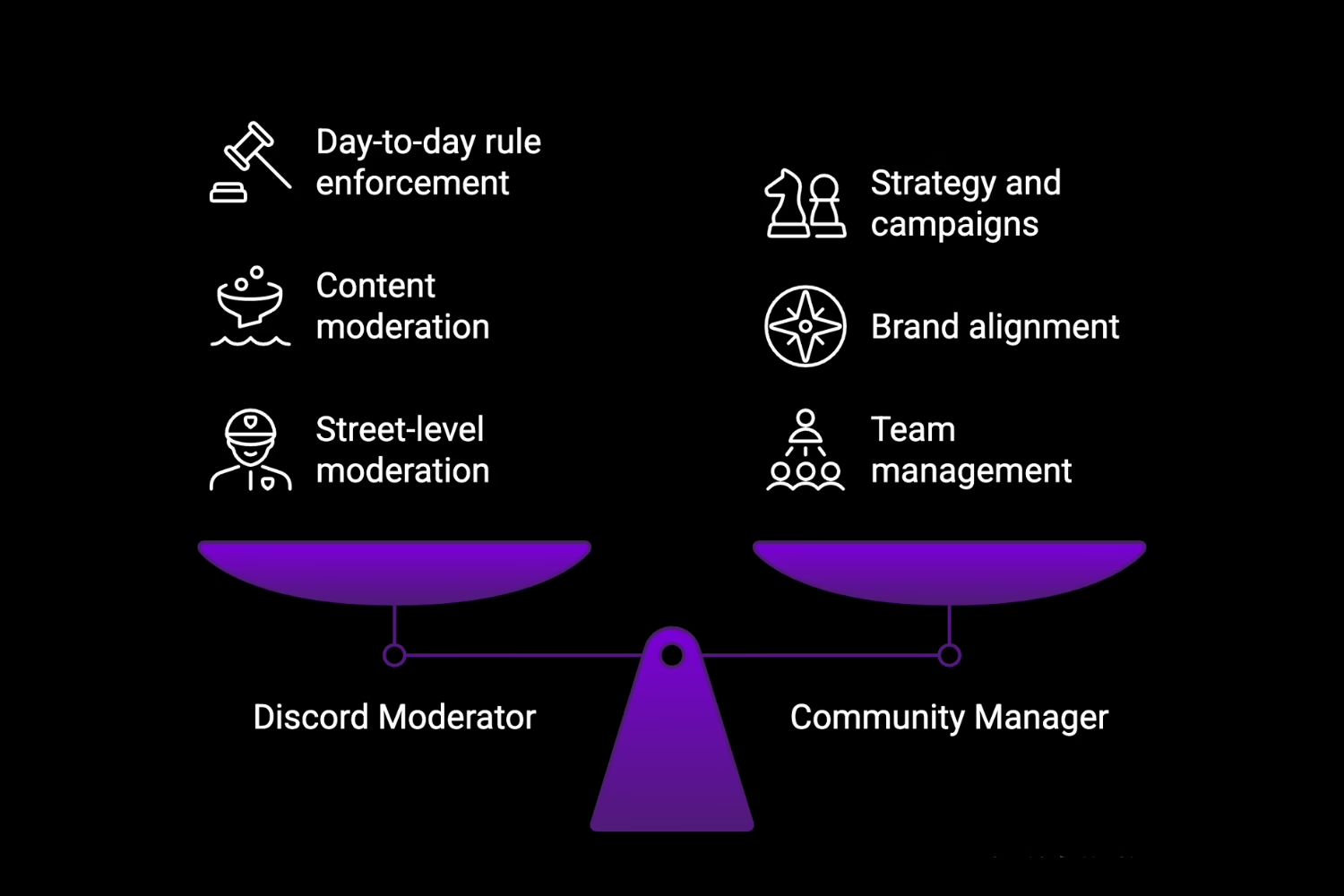
A Community Manager sets the strategy. They define the brand voice, plan campaigns, coordinate multiple mods, and make sure the community’s goals line up with the project’s business objectives. A Discord Moderator is the one doing the daily enforcement work: resolving conflicts, removing bad content, timing out rule-breakers, and keeping the vibe right.
The easiest way to remember it, as one LinkedIn writeup puts it: “The Community Manager will define the rules, whilst the Moderators act to enforce them.”
Role | Primary Focus |
Discord Moderator | Day-to-day rule enforcement, content moderation, and conflict resolution |
Community Manager | Strategy, campaigns, brand alignment, and managing the mod team |
What’s interesting about Discord compared to other platforms is that both roles tend to be active participants in the community. During AMAs or Stage channel events, for example, the community manager typically runs the event itself while the Discord mods manage the audience and keep the chat in order. If your project needs both roles covered, our community management team has been doing exactly this for Web3 clients since we started.
The typical server hierarchy looks like this: Owner > Admin > Community Manager > Moderator > Member. Admins handle server-level settings and configuration. Mods handle the street-level moderation work.
How to Find Discord Moderators for Your Server

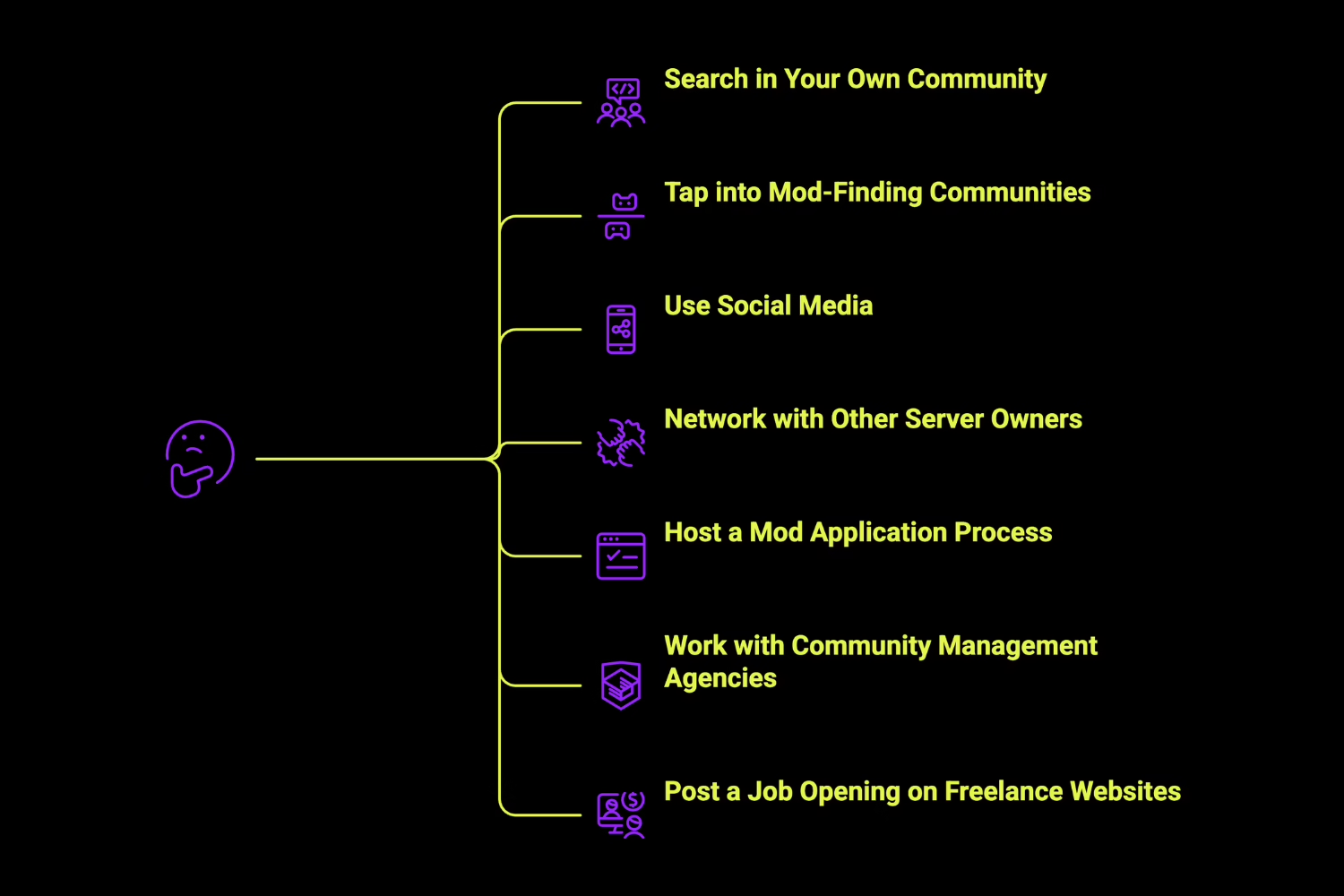
Finding the right Discord mod isn’t like posting a job on a job board and picking the first applicant. You’re looking for trust, experience, and genuine culture fit with your community. Here are the best places to look.
Search in Your Own Community
Start here. Your most active, helpful, and positive existing members are often the best candidates because they already understand the community’s culture and norms. Look for people who consistently answer questions, calm down heated conversations naturally, and follow the rules without being told.
According to Discord’s official recruitment guide, you should watch behavior patterns over time, ideally 6 to 12 months of consistent activity, before promoting someone. Don’t default to picking friends. Being fun to chat with is not the same thing as being a competent moderator.
Tap into Mod-Finding Communities
There are dedicated Discord communities specifically for server administration where experienced mods look for new opportunities. Sites like Discord Home list moderator job-seekers and server staff roles. Subreddits like r/discordapp are also active sourcing grounds. The benefit here is that candidates in these spaces have already self-selected for an interest in moderation work.
Use Social Media
Twitter/X works well if you use hashtags related to Discord community management. LinkedIn is a better fit for professional or brand-focused servers where you want experienced community managers or senior mods. Reddit lets you post in subreddits tied to your server’s niche, whether that’s gaming, crypto, education, or something else. Be specific about what you’re looking for: server size, activity level, niche, and expected time commitment.
Network with Other Discord Server Owners
This is an underrated approach. Attend virtual meetups, community-building webinars, and online events where server owners and admins gather. You can directly observe how a Discord mod handles their work in another server before reaching out to ask about availability. Building relationships with admins in your niche, whether that’s blockchain technology or gaming, creates a referral pipeline that pays off over time.
Host a Mod Application Process
Set up a structured application using Google Forms or Typeform. Ask about moderation experience, availability by time zone, how they’d handle a rule violation, and examples of past conflict resolution. Run all applications through your current mod team to get consensus before making a decision, and consider a probationary period of a few weeks before assigning the full role permanently.
Work with Community Management Agencies
If you don’t want to manage the entire hiring and training process yourself, agencies are a solid path, especially during launch phases, rapid server growth, or for Web3 and crypto projects that need 24/7 coverage. Look for agencies that specialize in your niche. If you’re running a crypto or metaverse project and need a professional team to handle Discord moderation from start to finish, our team at theKOLLAB builds and manages Discord mod lists for exactly these types of communities.
Post a Job Opening on Freelance Websites
Fiverr lists over 48 Discord mod services, which is useful for trial periods or short-term needs. Upwork and LinkedIn offer broader talent pools with portfolio vetting. For Web3-specific moderation roles, Web3.career is a niche job board worth checking. In your listing, be clear about server niche, member count, time commitment, compensation, and which tools (MEE6, Dyno, etc.) you expect them to be familiar with.
What Are the Key Responsibilities of Discord Moderators?

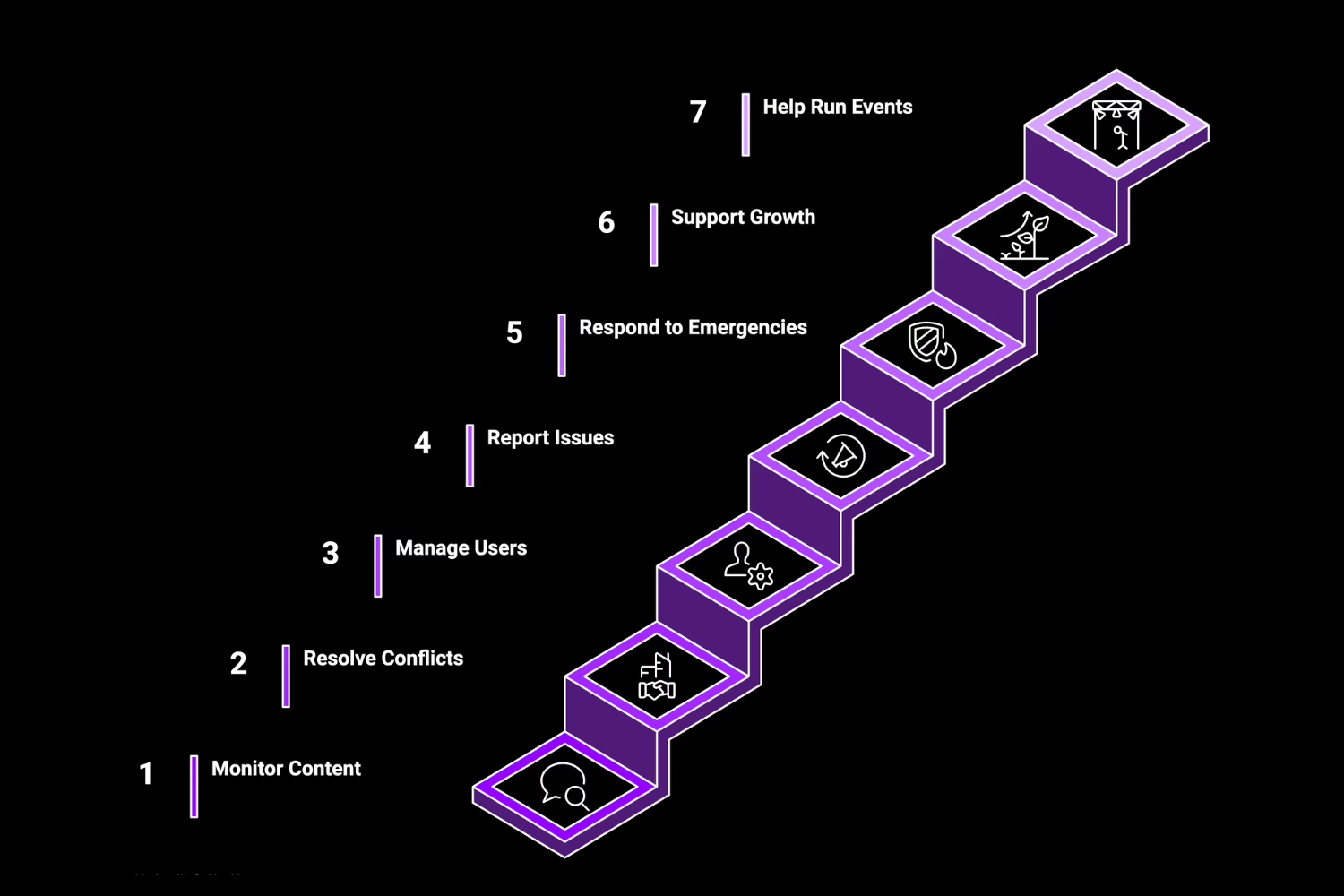
Being a Discord mod is more than just deleting messages. It’s active community stewardship, and the work breaks down into several distinct areas.
Monitor Content and Behavior
Discord mods review messages against the server’s rules on a regular basis. Bots like MEE6, Dyno, and Carl-bot can handle first-pass automated filtering, but human mods need to catch the stuff bots miss: subtle trolling, context-dependent rule-bending, and off-topic content that erodes the channel’s purpose over time.
Resolve Conflicts and Disputes
When two or more members are going at it, it’s the mod’s job to listen to all sides, facilitate a constructive conversation, and apply a proportional response. That means starting with a warning, moving to a timeout if needed, escalating to a kick, and only reaching for a ban as a last resort. Logging every significant incident in a private mod channel is a must.
Manage Users
This covers kicks, mutes, timeouts (up to 28 days on Discord), and bans. Mods also manage nicknames, assign or remove roles, approve or reject pending members, and welcome new arrivals to help them find their way around the server.
Report Issues to Admins
Not everything is a mod-level decision. Anything requiring server-wide configuration changes, permanent bans, or situations that touch on legal or PR concerns should be escalated to an admin or the server owner. The escalation path should be clear: Mod to Admin to Community Manager or Owner, documented through private mod channels and audit logs.
Respond to Emergencies
Raids, coordinated harassment, spam floods, and hate speech attacks happen, especially in crypto and Web3 servers where bad actors are common. Discord mods need to act fast in these situations. As Discord’s own safety guidelines put it, “It’s important that disruptive users be addressed quickly before they sour the mood of the other server members.” ModMail bots, @Moderator ping systems, and lockdown tools are the go-to weapons here. If your project is in a high-risk niche like crypto, you’ll want to read our breakdown of the best crypto Discord groups to see what good moderation looks like in practice.
Support Community Growth
Discord mods encourage participation, recognize positive contributions, and help onboard new members so they don’t feel lost the moment they join. This is especially important for communities that are running airdrop campaigns or other growth pushes, where a sudden influx of new members can overwhelm an unprepared server.
Help Run Events and Activities
Mods assist with AMAs, trivia nights, giveaways, contests, and Stage channel events. During live events, they manage audience participation, moderate chat, and coordinate with speakers. Recurring activities keep members engaged long-term and give the community a sense of rhythm.
How to Make Someone a Moderator on Your Discord
Setting up a Discord moderator role takes only a few minutes. Here’s the exact process for how to make someone a moderator on Discord.
Step 1: Access Server Settings
Right-click your server icon or click the server name dropdown at the top. Select Server Settings.
Step 2: Create a Moderator Role
Go to Roles, then click Create Role. Name it something clear, like “Moderator” or “Mod Team.” Pick a color so the role stands out visually in the member list and in chat.
Step 3: Set Up Permissions
Turn on these permissions for the new role:
- Manage Messages (delete and pin messages)
- Kick Members
- Ban Members (use this one carefully)
- Timeout Members (up to 28 days)
- View Audit Log
- Manage Threads
- Mention @everyone (optional, depending on your needs)
One thing to avoid: do not enable the Administrator permission. That hands over full control of the entire server, which is way more access than a mod should have.
Step 4: Save Your New Role
Hit Save Changes at the bottom of the Roles panel.
Step 5: Assign the Role to Users
Click on the user’s profile, go to Roles, and add the Moderator role you just created. You can also do this through Server Settings by going to Members, finding the user, and assigning the role from there.
Common Challenges Discord Moderators Face
Burnout is the number one issue. According to Discord’s official recruitment guidance, “Placing too many responsibilities on too few moderators can quickly cause members of the team to lose interest.” If you only have two mods handling a server with thousands of active users, those mods will burn out fast, period. Distributing workload across time zones and using bot automation helps a lot.
Inconsistency is another trust-killer. When members see discord mods bending rules for some people but enforcing them for others, the whole community’s trust in the moderation team erodes. Written guidelines and regular mod team check-ins prevent this drift.
On the flip side, over-moderation is just as damaging. According to Discord’s community etiquette page, “Aggressive moderators tend to intimidate or scare off new users, which will harm your community.” Finding that balance between keeping order and letting the community breathe is where the best mods distinguish themselves.
Timezone gaps are a structural problem for any global server. If your mods are all based in one region, there are hours of the day when nobody’s watching the chat. Plan your team composition around coverage windows. And don’t underestimate the emotional toll: dealing with harassment, toxic behavior, and conflict every day wears people down. Checking in on mod wellbeing isn’t a nice-to-have; it’s a must.
Which Industries Need Discord Moderators the Most?
Gaming still dominates. According to Thunderbit, 74% of all Discord servers are gaming-related, making it the largest moderation demand center on the platform.
Cryptocurrency and Web3 communities come second in volume but first in complexity. Scam attempts, phishing raids, and coordinated FUD campaigns mean these servers need vigilant, experienced Discord mods who often work around the clock. Compensation is usually higher, too, as reported by CommunityOne. If you’re running a token launch or a DeFi protocol, getting this right before your TGE is not optional.
NFT communities need mods to protect content authenticity and manage the emotional swings of hype cycles. Education servers (Discord is the #2 platform for online education groups) need mods who can maintain discussion quality. AI and tech communities are scaling at unprecedented speed; the Midjourney server alone has over 19.9 million members. And creator/fandom communities require empathetic moderation because members tend to be deeply emotionally invested.
Should You Hire an Agency or Build an In-House Mod Team?
Both paths work; which one is better for you depends on where your project is right now.
Agencies get you up and running faster. You get pre-vetted professionals, built-in scalability, no HR overhead, and the ability to ramp coverage up or down based on need. This is especially useful during launch phases, bull market growth spurts, or when you’re running time-sensitive campaigns. We’ve built Discord mod lists and managed moderation for Web3 clients who needed reliable coverage from day one, and the time savings alone justified the investment for most of them. If you’d rather have professionals handle the crypto marketing activities, community management, and moderation while you focus on building, that’s what agencies are built for.
In-house teams have the advantage of deeper culture fit, long-term loyalty, and a more personal connection to the community. If your budget supports it and you have the bandwidth to recruit, onboard, and manage the team, this path builds a stronger foundation over time.
At a minimum, you need one strategy-level person (community manager or owner) and one day-to-day Discord moderator for daily operations. Larger servers will need multiple mods with overlapping time zone coverage. Cost-wise, volunteer mods handle small servers fine, while paid moderation for Web3 or large-scale servers typically runs $1,000 to $3,000 per month. For more on building a strong crypto marketing foundation that complements your Discord community, check out our crypto marketing strategies guide.
FAQ
What Do Discord Mods Do?
Discord mods enforce server rules, remove harmful content, resolve member conflicts, manage user access through timeouts, kicks, and bans, and help maintain a positive community atmosphere. They also support events and help onboard new members.
How Much Does Discord Moderation Cost?
Volunteer mods cost nothing for small servers. Paid Discord moderators typically charge $80 to $150 per week for part-time work. Full-service community management with a community manager and mod team usually runs $1,000 to $3,000 per month. According to ZipRecruiter, the average annual salary for a full-time Discord moderator in the U.S. is around $64,331. Web3 and crypto servers tend to pay at the higher end of that range.
How Do Discord Moderators Get Paid?
Most small server mods are unpaid volunteers. Paid mods are usually compensated through direct transfer, PayPal, or crypto, which is common in Web3 projects. Some servers offer non-monetary perks like Discord Nitro, exclusive merchandise, or behind-the-scenes access. Professional mods on freelance platforms like Upwork or Fiverr are paid per project or on retainer.
Can Discord Mods Ban Your IP?
No. Discord moderators can ban a user’s account from their server, but they can’t issue IP bans or hardware ID bans. Those platform-level actions are exclusively controlled by Discord’s Trust and Safety team. According to Multilogin, “Discord does not give IP visibility or control to server admins.”
What Are the Differences Between Discord Mods and Discord Admins?
Discord mods handle daily community enforcement: managing messages, timing out users, and resolving conflicts. Admins have broader technical control, including managing server settings, creating or deleting channels, configuring bots, and managing roles. Admins deal with serious or irreversible actions like permanent bans and server restructuring, while mods handle the routine moderation work.
How Many Mods Does a Discord Server Need?
There’s no fixed number. A small server under 200 members may only need 1 to 2 mods. Servers with 1,000 or more members should aim for at least 3 to 5 mods with overlapping time zone coverage. Signs you need more: user reports going unactioned, stretches of time with no mod presence, or your current mods regularly burning out.
Are There Any Tools and Resources for Effective Discord Moderation?
Yes. The most popular moderation bots include MEE6 (installed on 21.3 million+ servers, beginner-friendly), Dyno (strong audit logging, used on 4 million+ servers), and Carl-bot (10.9 million+ servers, excellent free tier with granular customization). Discord’s built-in AutoMod and Safety Setup tools handle basic automated filtering. For learning, the Discord Moderator Academy and Discord Resources are solid starting points. ModMail bots are widely used for private incident reporting as well.